Interactive apartment selector for a residential building website: formats, costs and what to check
What an apartment selector (unit finder) does on a developer’s website, the four formats, what each costs, from $100 a month to €50–100 per unit a year, and a checklist before you buy one.
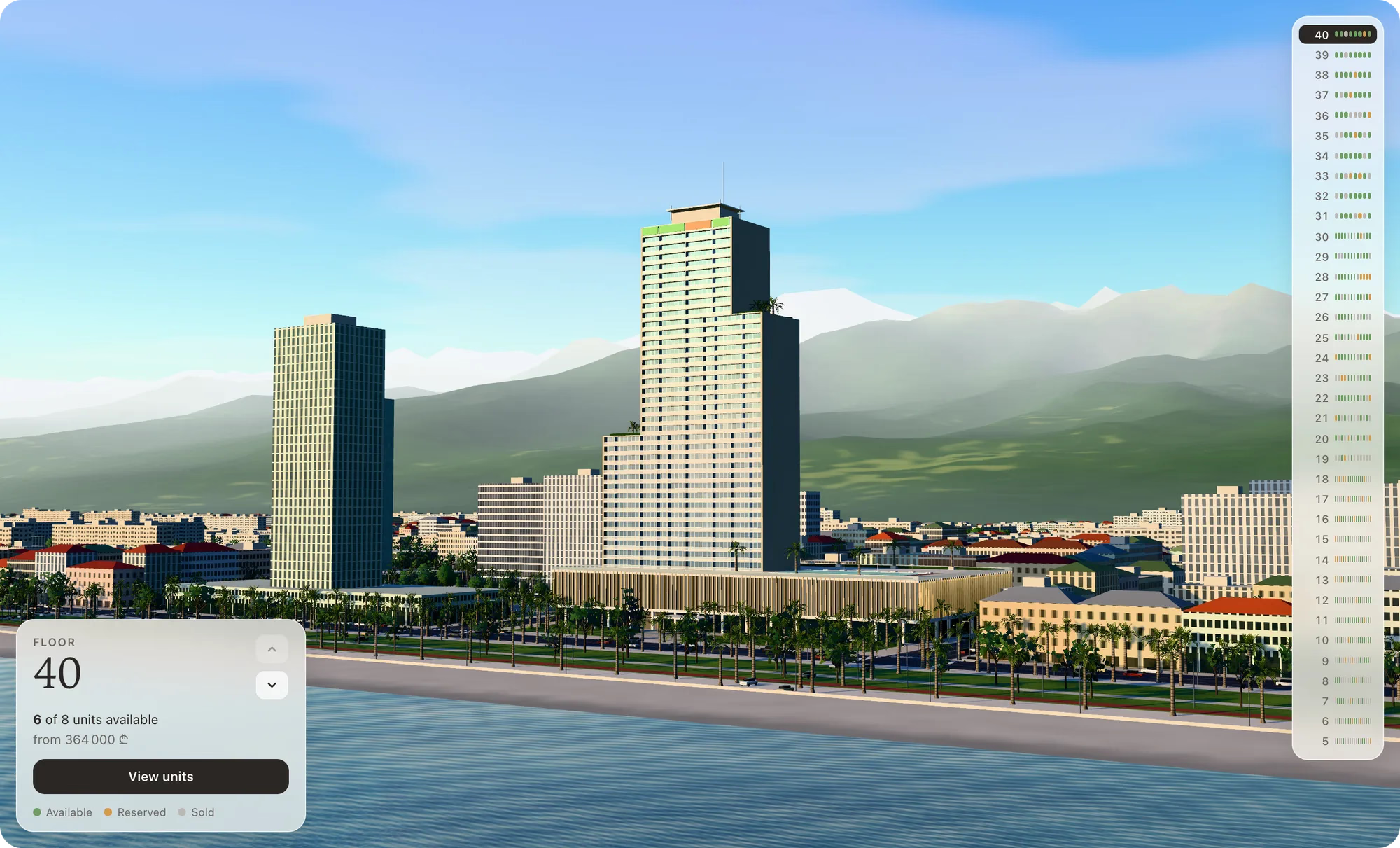
An interactive apartment selector, also called a unit finder, lets a buyer filter every unit of a building by bedrooms, area, floor, price and status, see the matches on the building and open the one they want. Published prices run from $100–300 a month for a vendor widget to $3,000–8,000 for a custom build, and per-unit SaaS from €50 to €100 per unit a year.
For a building sold off-plan, the selector is where the choice happens. Renders sell the project; the buyer decides on a unit, its floor, its side and its price, and that decision used to be made on a PDF price list.
What a selector does
A working selector answers four questions in one place:
- Which units match? Filters for bedrooms, area, floor, price and availability, with a count of matches as the buyer narrows them.
- Where are they? Each match marked on the building or the floor plate, so the buyer sees the floor and the side, not a row in a table.
- What exactly is it? The unit’s floor plan, area, balcony, orientation, price and status.
- What next? A link to send, a way to compare two or three units, and an enquiry with the unit number attached.
Everything else, from the facade animation to the 3D, is presentation on top of those four.
The four formats
| Format | What the buyer sees | Typical cost | Watch out for |
|---|---|---|---|
| PDF price list | A table of units, prices and plans to download | Free to make | Stale within weeks; no filter, no picture of where the unit is |
| Vendor widget | A hosted selector on a rendered facade, embedded on your site | $100–300 a month | Your status data lives in the widget, often typed in twice |
| Custom selector in your website | A selector designed with the site, wired to your sales system | $3,000–8,000 within a bigger build | One project, one build: the next building is paid again |
| Per-unit SaaS | A hosted selector with hosting and updates, priced by the number of units | €50–100 per unit in year 1, €12–25 per unit after | Read the tiers: the price per unit falls with the size of the project |
Agency figures come from Prostor, an agency that builds selectors, which also quotes a landing page with a simple selector from $3,500 and a full sales website with live availability from $5,000. Per-unit prices are Flatter’s published tiers: €100 per unit in the first year for up to 20 units, €85 for up to 50, €65 for up to 100 and €50 for up to 300, then €25 to €12 per unit a year while you sell. A 40-unit project comes to €3,400 in the first year and €840 a year after.
What separates a good selector from a pretty one
Prices and areas on the first screen. A selector that hides the price behind “ask us” sends the comparison to the competitor that shows it.
Status from one source. If the website, the gallery screen and the agent’s link each hold their own copy of the price list, one of them is always wrong. Sold units the buyer can still “reserve” cost more trust than a missing feature.
The unit on the building. Floor and side are half the price of an apartment. Marking matches on the facade or the floor plate shows a buyer that 1204 faces the sea and 1201 the car park.
Works on a phone. Most first visits come from a link in a messenger. A selector built for a sales-gallery touchscreen often fails there.
A link per unit. Buyers forward a unit to a partner or an adviser. The link should open that unit, not the start page.
Compare. Buyers usually hesitate between two or three units. Side by side, the differences in area, floor, balcony and price per square metre decide it.
Where 3D fits
A selector without 3D works; 3D without true prices and availability is decoration. Add 3D once the basics are right, for what a plan can’t show: the rooms at eye level, the furniture in them, the light on a winter afternoon and the view from that floor.
The InsideWalk apartment finder
Every InsideWalk project has an apartment finder at the top of its page. Buyers filter every unit of every building by bedrooms, area, floor, price, the side it faces, status and balcony, sort the matches, and compare up to four side by side, with the best area, price and price per square metre marked. “On the building” marks the matches on the tower and opens the floor of the cheapest one. Each unit opens as a walkable 3D tour, furnished and priced, with its own link.
Status and prices come from one dashboard, and every tour, embed and link opened afterwards shows a change within 30 seconds. The finder is part of the building price: a pilot building is $5,000 for the first three pilots ($6,000 after), every unit included and embedded on your site.
Try it on the Abu Dhabi waterfront complex demo, five towers of up to 58 floors, or ask for a free sample unit from one of your floor plans.
A checklist before you buy one
- Does it show price, area and status for every unit, without a form?
- Where does status live, and who updates it? Does the website change when a unit sells, without a developer?
- Does it mark the matches on the building or the floor?
- Does it work on a phone, from a link?
- Does each unit have its own link, and can buyers compare units?
- What does the next building cost: a new build, or the same price per unit?