Apartment finder
Buyers filter every unit of your project by bedrooms, area, floor, price and view, compare four, find them on the building and walk the one they like, with prices and availability your team keeps current.
- 6
- filters: bedrooms, area, floor, price, view, status
- 4
- units compared side by side
- 30 s
- at most from a price change to the next page opened
In short
An apartment finder lets buyers search every unit of a project on your website by bedrooms, area, floor, price, view and status. InsideWalk’s finder also marks each unit on the building and opens it as a walkable 3D tour, furnished and priced.
Status and prices come from the dashboard your sales team keeps. It is included with every building, $5,000 for a pilot, live in five working days. Try it on the 58-floor demo tower.
Filter
Every unit of the project, filtered in one place
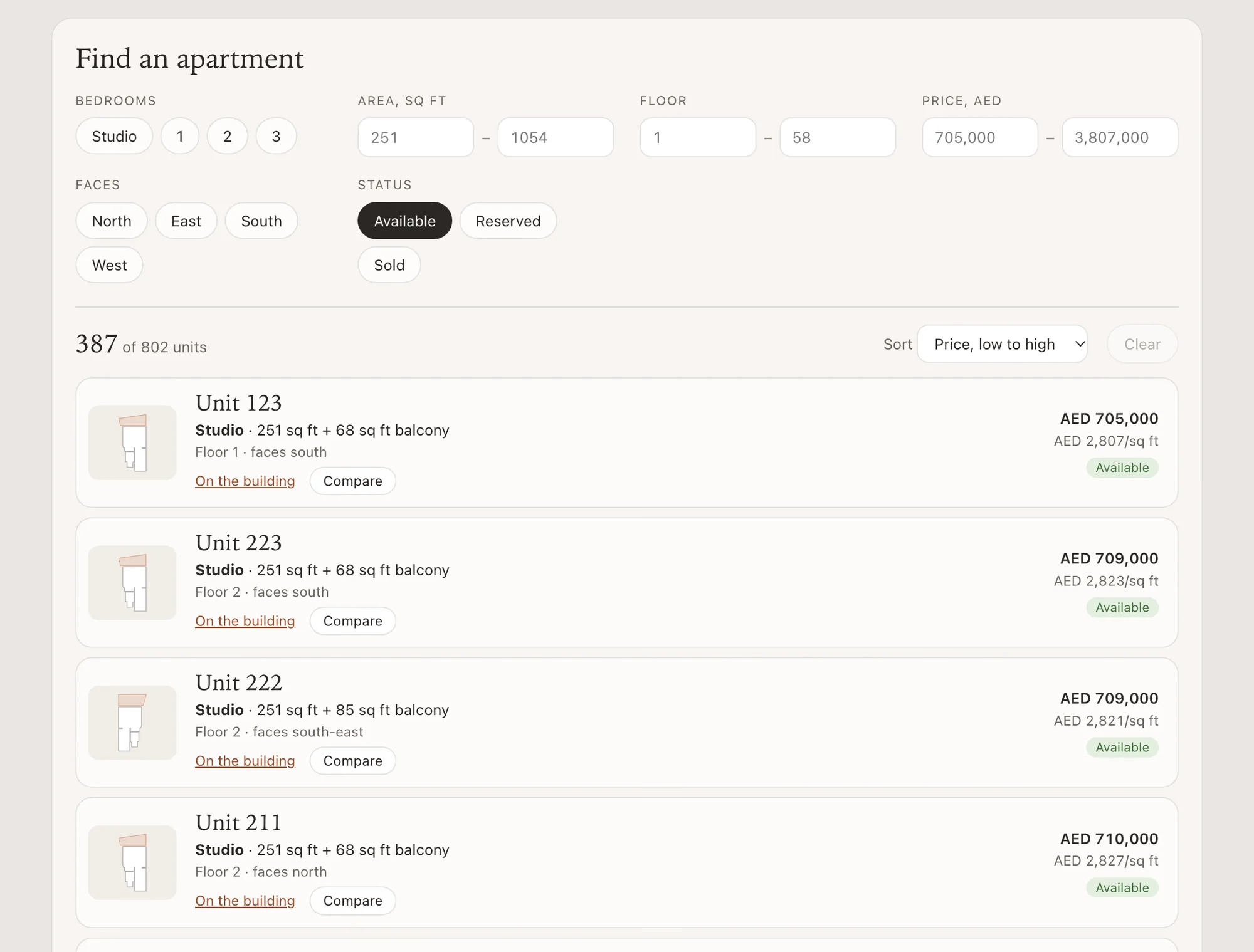
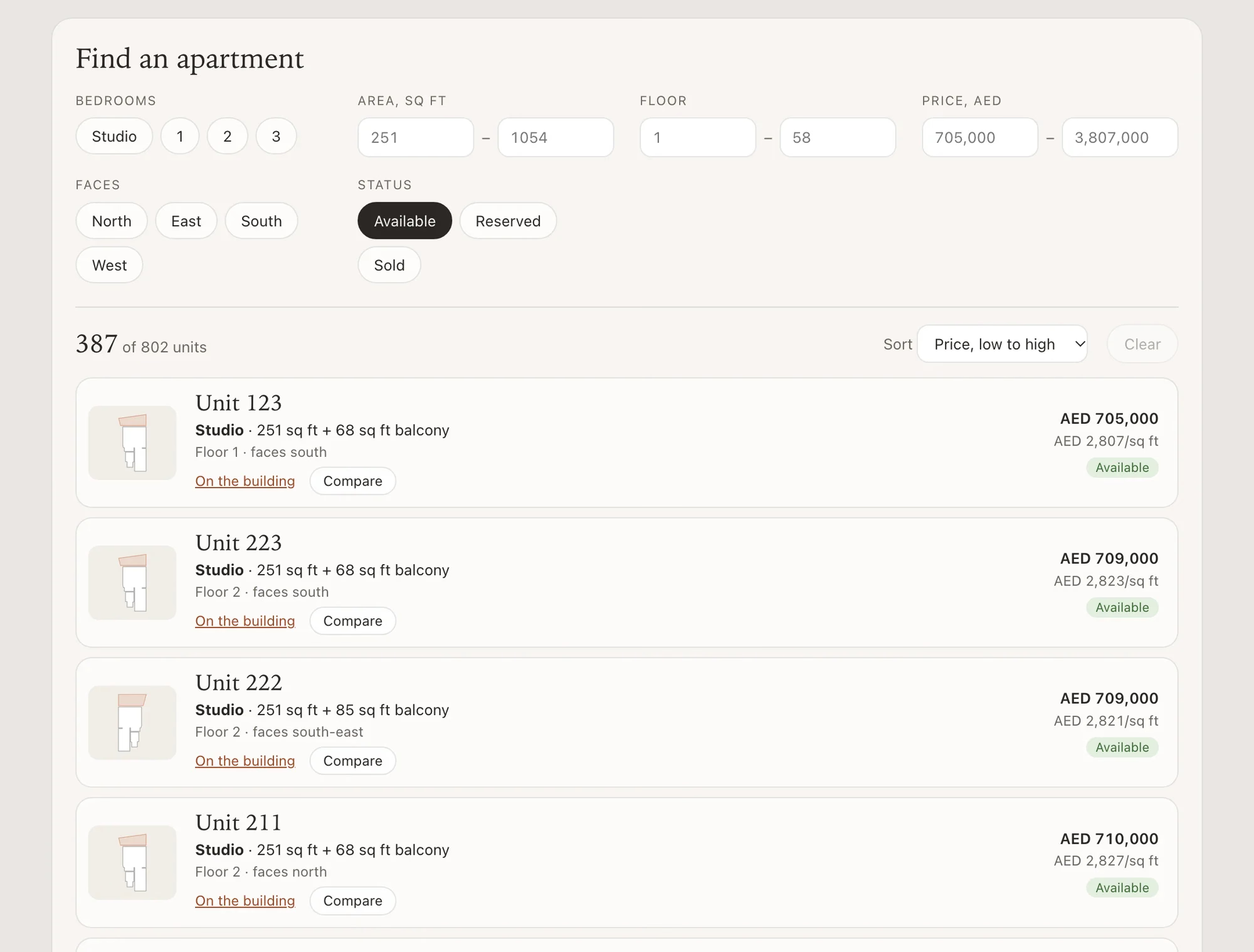
Buyers narrow the list by bedrooms, area, floor, price, the side the unit faces and its status, and sort it by price, size or floor. The search stays in the page address, so a filtered list can be sent to a buyer. Each result shows its plan, area with the balcony, floor, price per square metre or foot and whether it is available.
Locate
On the building, floor by floor
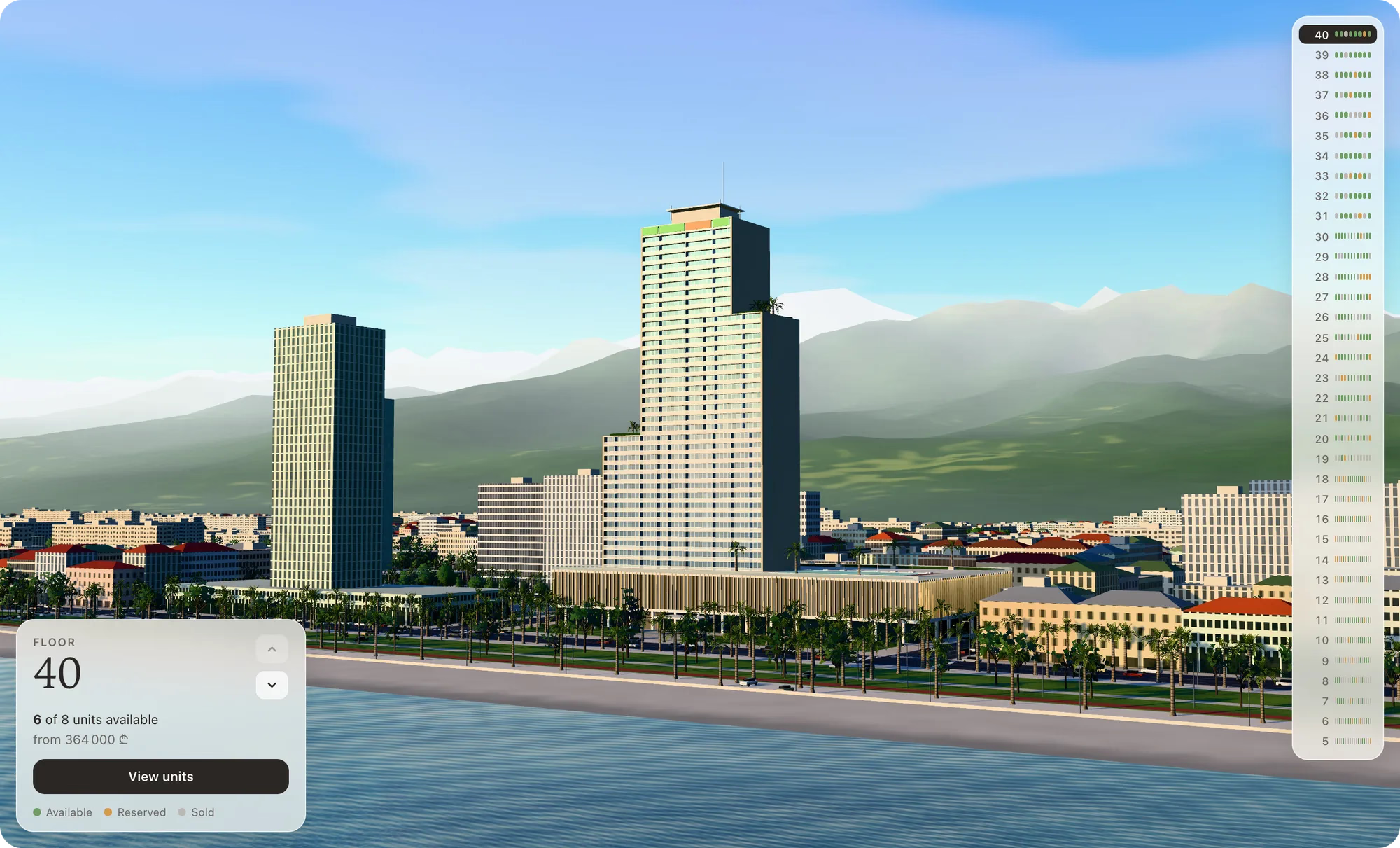
“On the building” opens the tower at that unit’s floor, lit up, and the floor strip says how many units are still available on each floor.
Compare and walk
Four side by side, then step inside
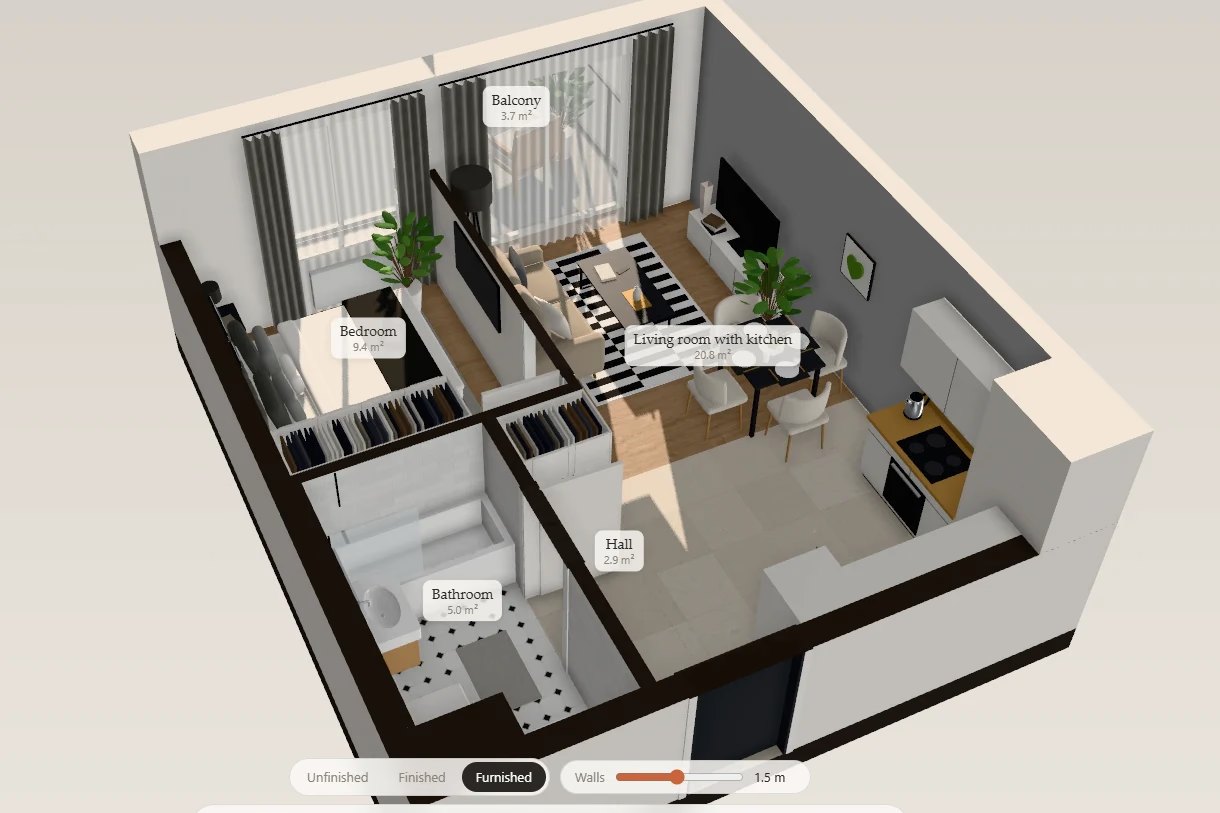
Buyers put up to four units next to each other to compare area, floor, view and price, and open any of them as a walkable 3D tour, furnished and priced, at eye level.
Always current
Status and prices from one dashboard
The finder reads the same unit records your sales team keeps in the dashboard. Mark a unit reserved or change a price and the next page opened shows it within 30 seconds; a unit whose status can’t be loaded is never shown as available.
Compared
| What buyers see per unit | Live status and price | Walk the unit in 3D | Published cost | |
|---|---|---|---|---|
| PDF price list | A row in a table | Re-sent by hand | No | Free, and out of date fast |
| Selector widget on renders or a stacking plan | A 2D plan and a price | Yes | No | $79–299 per project a month; €50–100 per unit in the first year |
| Custom-built selector | Whatever the agency builds | If connected to your data | Usually no | $3,000–8,000 to build |
| InsideWalk apartment finder | Plan, area, floor, view, price and status, on the building | Yes, within 30 seconds | Yes, every unit, furnished and priced | Included in $5,000 per pilot building |
Published prices of Planpoint, Flatter and an agency that builds custom selectors, gathered in interactive apartment selectors.
Questions
What is an apartment finder on a developer’s website?
A search over every unit of a project: buyers filter by bedrooms, area, floor, price, view and status, and open the ones that match. Also called a unit selector or an interactive availability map.
Can buyers compare apartments side by side?
Yes. Up to four units at once, with area, floor, the side they face and price next to each other, and each one opens as a 3D tour.
How are availability and prices kept up to date?
Your sales team changes a unit’s status or price in the InsideWalk dashboard, one unit, a whole floor or a CSV at a time. The finder shows it on the next page opened, within 30 seconds.
Can we put the apartment finder on our own website?
Yes. It is part of the project page you embed with an iframe or one script, and it can hide prices or sold units per embed.
How much does an apartment finder cost?
Selector widgets publish $79–299 per project a month or €50–100 per unit in the first year; custom builds run $3,000–8,000. InsideWalk includes the finder with 3D tours of every unit for $5,000 per pilot building (launch price for the first three pilots, then $6,000).
Keep exploring
- Live availability & pricingChange a unit’s status or price once; every tour opened afterwards shows it within 30 seconds.
- Embed on your websiteA unit, a building or the whole project, with a snippet or an iframe.
- Interactive apartment selectorThe four formats of a unit finder on a developer’s website, what each costs, and what to check.
- PricingFree sample unit, a fixed-price pilot, then per unit.
Free sample unit
Free and without commitment: one of your units, furnished and priced, on a private link.
Or email the plan to hello@insidewalk.app